Nimbalyst
Contact
Nimbalyst
Nimbalyst: A Windsurf Alternative for Visual Agent Session Management with Claude Code and Codex
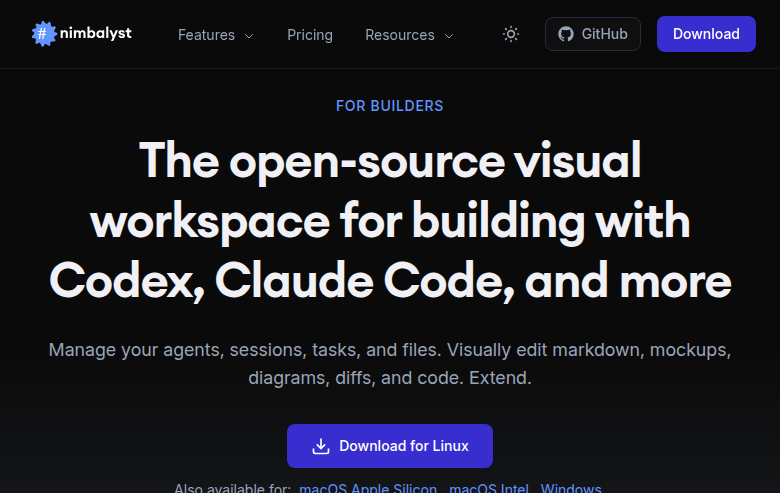
Nimbalyst is an open-source visual workspace developed for developers building with Claude Code, OpenAI Codex, and other AI coding agents. It provides a desktop application for visual file editing, agent session management, integrated task management, and git tooling. As a Windsurf alternative, it is best suited for developers and teams already using Claude Code or Codex who want a structured visual environment for managing agent sessions — rather than a self-contained AI IDE.
Nimbalyst vs. Windsurf: Quick Comparison
| Nimbalyst | Windsurf | |
|---|---|---|
| Type | Open-source visual workspace / desktop app | AI IDE (standalone) |
| IDEs | Works alongside Claude Code, Codex, OpenCode, CoPilot — not an IDE itself; macOS, Windows, Linux desktop app | Standalone AI IDE |
| Pricing | Free for individuals (no credit card required); Teams: TBD | Not publicly documented |
| Models | BYOA — Bring Your Own Agent (Claude Code, Codex, CoPilot); Nimbalyst does not include built-in AI models | Cascade (proprietary) |
| Privacy / hosting | Local desktop app; open source (MIT for local app, AGPL for team layer); SOC-2 Type 2 certified | Not publicly documented |
| Open source | Yes (MIT + AGPL) | No |
Key Strengths
- Open source and free for individuals: The Nimbalyst local app is MIT licensed. It is free for individual use with full features — no credit card required. The team collaboration layer is AGPL. This is a clear differentiator against proprietary AI IDEs like Windsurf, which do not offer open-source code.
- Works with multiple AI agents (BYOA): Nimbalyst is agent-agnostic. It integrates with Claude Code, OpenAI Codex, OpenCode, and CoPilot agents. You bring your own agent subscription and use Nimbalyst as the visual layer on top. This is ideal for teams already paying for Claude Pro or Codex and wanting better session organization.
- Visual session management with kanban and parallel sessions: Nimbalyst provides a Session Kanban board where you can organize agent sessions by phase — backlog, planning, implementing, complete. Multiple sessions can run in parallel with optional one-click worktree isolation per session. This is purpose-built for agentic development workflows.
- Visual file editors with AI diff approval: Nimbalyst includes visual editors for Markdown, CSV, mockups, code, Excalidraw diagrams, data models, and Mermaid charts. AI edits are shown as inline diffs — you review and approve or reject each change. This keeps the developer in full control of every agent modification.
- Mobile app for remote session monitoring: Nimbalyst has an iOS app (available on the App Store) for monitoring and interacting with running Claude Code and Codex sessions from an iPhone. You can start sessions, review agent work, and chat — all from mobile while paired with your desktop Nimbalyst.
Known Limitations
- Requires your own Claude Code or Codex subscription (BYOA): Nimbalyst does not include built-in AI models. You must have and pay for your own Claude Code or Codex subscription to use Nimbalyst. This adds cost on top of the Nimbalyst free tier — it is not a standalone alternative for users without existing agent subscriptions.
- Team pricing is not yet available: The Teams plan is listed as TBD on the pricing page. Organisations wanting paid team features, shared workspaces, or team-level billing must wait for this tier to be released. Individual use is fully supported; enterprise/team use is not yet formally priced.
- Less polished onboarding than established AI IDEs: Nimbalyst is a newer open-source project. Onboarding, documentation depth, and ecosystem maturity are growing but not yet at the level of established tools like Windsurf or Cursor. Some features may require familiarity with Claude Code or Codex CLI to configure correctly.
Best For
Nimbalyst is best for developers and small teams who already use Claude Code or Codex and want a structured visual environment for managing multiple agent sessions simultaneously. It is particularly well-suited for teams that need to review and approve AI-generated file changes before merging — avoiding blind acceptance of agentic edits.
Open-source teams and privacy-conscious developers who want local data storage and full code visibility will find Nimbalyst's MIT-licensed local app and AGPL team layer more transparent than closed-source AI IDEs. Companies like Automattic, Redfin, Vanta, Gainsight, Zillow, UKG, SAP, Yahoo, and Delivery Hero are listed as users on the Nimbalyst site.
Pricing
- Individual: Free — no credit card required, full features included
- Teams: TBD/user/month — coming soon; exact pricing not yet published
Prices verified from official pricing page. Check for current details.
Tech Details
- Type: Open-source visual workspace / desktop application
- Platforms: macOS (Apple Silicon + Intel), Windows, Linux (AppImage)
- Supported agents: Claude Code, OpenAI Codex, OpenCode, GitHub CoPilot
- Key features: Session Kanban, parallel sessions with worktree isolation, visual file editors (Markdown/CSV/Mockup/Code/Excalidraw/Data Model/Mermaid), AI diff review and approval, File Edits Sidebar, integrated task management, git tooling, MCP server support, iOS mobile app, Extensions API
- Privacy / hosting: Local desktop app; open source (MIT local app, AGPL team layer); SOC-2 Type 2 certified
- Models / context window: Not applicable — Nimbalyst is agent-agnostic (BYOA); models depend on your Claude Code or Codex subscription
- GitHub: github.com/Nimbalyst/nimbalyst
Nimbalyst's Extensions API allows teams to build custom visual editors or workflow integrations. The Session Kanban can organize work across phases, and agents can read the task backlog directly — no copy-pasting tickets into prompts. The feedback loop between task board and agent output is automatic.
The iOS app (available on the App Store) pairs with the desktop app and lets you monitor running agent sessions, review changes, and chat with Claude Code or Codex from your phone. This is a unique feature not commonly found in other AI development tools.
When to Choose Nimbalyst Over Windsurf
- You already use Claude Code or Codex and want a visual layer for session management, kanban organization, and AI diff review. Nimbalyst is purpose-built for this workflow.
- You want an open-source tool where you can read and audit the code. Nimbalyst's MIT-licensed local app is fully transparent.
- You need to run multiple parallel AI agent sessions on the same project with worktree isolation. Nimbalyst supports this natively with its Session Kanban.
- You want to review and approve every AI-generated file change before it is applied. Nimbalyst's inline diff approval workflow keeps you in full control.
- You want a free tool with full features and no credit card requirement. Nimbalyst Individual is free with complete functionality.
When Windsurf May Be a Better Fit
- You want a self-contained AI IDE with built-in AI models and inline code suggestions. Windsurf includes its own Cascade AI — Nimbalyst requires you to bring your own Claude Code or Codex subscription.
- You do not already use Claude Code or Codex and do not want to manage an additional agent subscription. Nimbalyst is a visual layer, not a standalone AI coding tool.
- You need team features with defined pricing now. Nimbalyst's Teams plan is still TBD and not available yet.
Conclusion
Nimbalyst is a compelling Windsurf alternative for developers who already work with Claude Code or Codex and want a visual, structured environment for managing agent sessions, reviewing AI diffs, and tracking tasks. Its open-source MIT license, free individual tier, and parallel session support make it especially attractive for privacy-conscious developers and teams who value transparency. Users who want a self-contained AI IDE with built-in models will be better served by Windsurf.
Sources
FAQ
Is Nimbalyst free?
Yes. Nimbalyst Individual is completely free with full features and no credit card required. It is also open source under an MIT license. The Teams plan is listed as TBD/user/month and is not yet released.
Does Nimbalyst work without Claude Code or Codex?
No. Nimbalyst is a visual workspace layer — it does not include built-in AI models. You need your own Claude Code, OpenAI Codex, OpenCode, or CoPilot subscription to use Nimbalyst as your AI agent. Nimbalyst provides the visual UI, session management, and file editing tools on top of your agent.
How does Nimbalyst compare to Windsurf?
Windsurf is a self-contained AI IDE with its own Cascade AI for inline code suggestions and agentic editing. Nimbalyst is an open-source visual workspace that sits on top of Claude Code or Codex — you bring your own agent. Nimbalyst is better for teams wanting visual session kanban, diff approval workflows, and parallel agent sessions; Windsurf is better for developers wanting a single self-contained AI coding environment.
Is Nimbalyst open source?
Yes. The local Nimbalyst app is MIT licensed. The team collaboration layer is AGPL. The source code is available at github.com/Nimbalyst/nimbalyst. Nimbalyst is also SOC-2 Type 2 certified.
Does Nimbalyst have a mobile app?
Yes. Nimbalyst has an iOS app available on the App Store. It allows you to monitor running agent sessions, review agent work, and chat with Claude Code or Codex from your iPhone — paired with your desktop Nimbalyst instance.