Qoder
Contact
Qoder
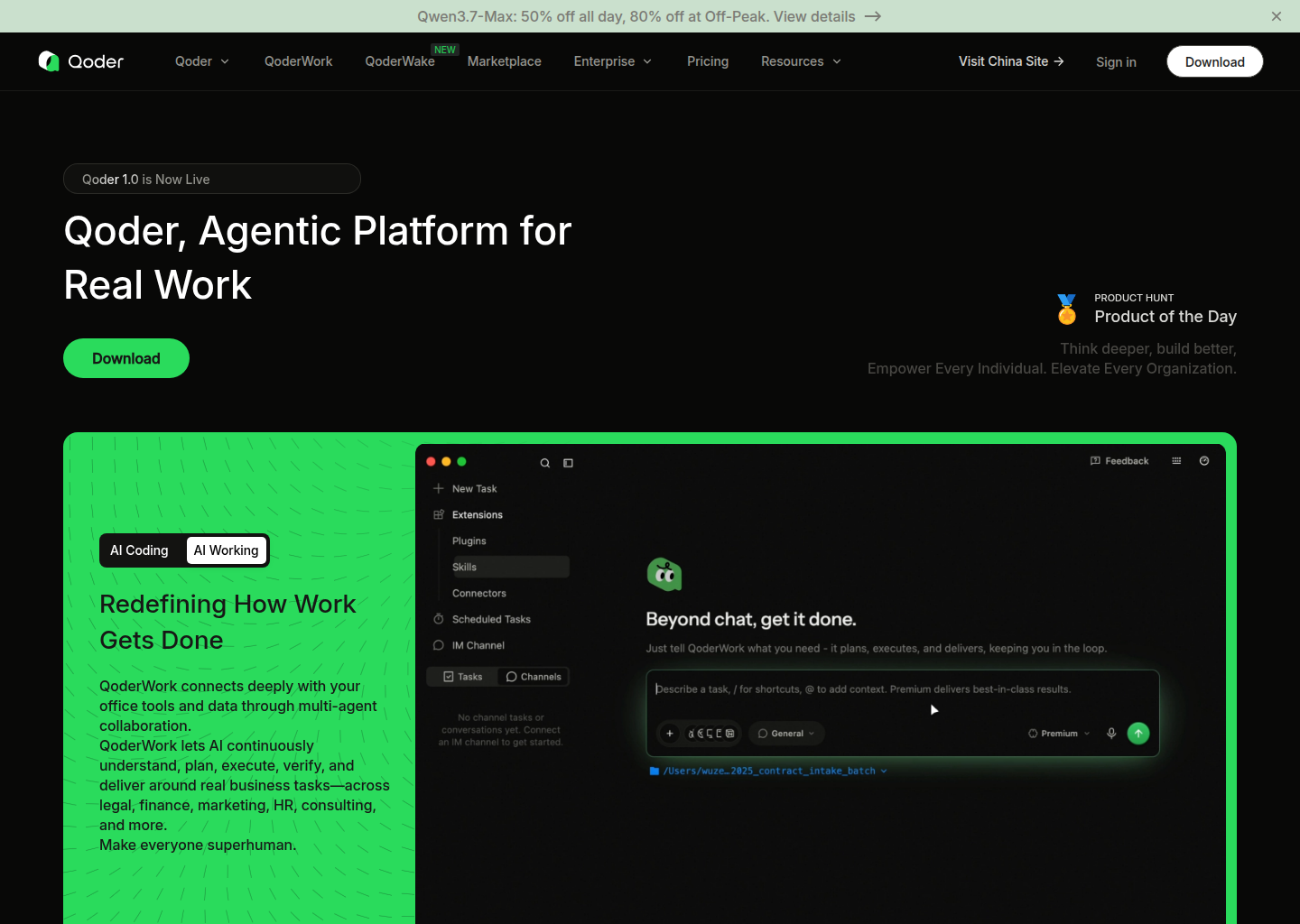
Qoder: A Windsurf alternative for developers and engineering teams who want an agentic IDE with desktop, JetBrains, VS Code, and CLI access instead of a narrower editor-only workflow
Qoder is a AI IDE developed by Qoder. Agentic AI IDE with desktop workflow, JetBrains and VS Code support, CLI access, Repo Wiki context features, and task-oriented coding flows for real software projects. As a Windsurf alternative, it fits developers and engineering teams who want an agentic IDE with desktop, JetBrains, VS Code, and CLI access instead of a narrower editor-only workflow.
Qoder vs. Windsurf: Quick Comparison
| Qoder | Windsurf | |
|---|---|---|
| Type | AI IDE | AI IDE |
| IDEs | Desktop app, VS Code, JetBrains, and CLI | Standalone / editor-centric workflow |
| Pricing | The official site and schema markup describe Qoder as free to download, so teams can start without upfront payment. | Not publicly documented in this listing |
| Models | Official pages reference advanced-model access and discounted Qwen usage, but they do not publish one stable public context-window matrix | Not publicly documented in this listing |
| Privacy / hosting | Cloud-assisted desktop and IDE workflow with team-oriented features; full self-hosting is not publicly documented on the reviewed official pages | Not publicly documented in this listing |
| Open source | No | No |
Key Strengths
- Real IDE coverage, not just a branded shell: Qoder is not trying to force every user into one editor identity. The official site explicitly positions it across a desktop app, VS Code, JetBrains, and CLI access, which matters for teams that already have mixed editor habits and do not want a migration to become a workflow tax.
- Agentic coding story goes beyond autocomplete: The product language is centered on tasks, execution, repo context, and code generation instead of treating the AI as only a suggestion bar. That makes Qoder more relevant for teams that want an assistant that can reason across real work units instead of only accelerating typing.
- Stronger public team-knowledge posture: Repo Wiki, shared context, and broader software-development framing show up early in the official product narrative. That is useful when the buyer cares about onboarding, shared understanding, and reducing the amount of tribal knowledge hidden in chats or local editor state.
Known Limitations
- Pricing is more credit-shaped than a simple flat tool: The public pricing story is less straightforward than a single predictable seat fee. Teams that lean heavily on premium models or agent flows will need to watch how usage maps onto plan economics instead of assuming a simple monthly ceiling.
- Governance and model specifics are still somewhat diffuse: The reviewed official sources explain the direction of the product well, but they are less crisp on a single public matrix for provider behavior, exact context ceilings, and enterprise governance controls. Technical buyers may need a second evaluation step before standardizing on it.
- Desktop and IDE breadth can add surface area: That broad workflow reach is a strength for many teams, but it also means more product surface to learn and manage. Developers who only want a tightly bounded AI IDE experience may prefer a simpler tool with fewer moving parts.
Best For
Qoder is best for developers and engineering teams that want an AI IDE rather than a pure browser builder or a purely terminal-first harness. It is especially compelling when the team already works across JetBrains, VS Code, and desktop-heavy workflows, and wants the AI layer to meet them there instead of forcing one narrower operating style.
It is a weaker fit for buyers who want the most minimal path from prompt to code edit with the fewest pricing and product-surface questions. Windsurf can feel simpler if the team prefers a more opinionated AI IDE loop and does not need Qoder's team-knowledge angle.
Pricing
- Free: The official site and schema markup describe Qoder as free to download, so teams can start without upfront payment.
- Pro: The official subscriptions announcement describes a paid monthly plan for day-to-day premium-model usage, code completion, and lighter agent work.
- Pro+: The same official announcement describes a higher monthly plan for heavier premium-model usage and more demanding agent workflows.
Prices are subject to change. Check the official pricing page for current details.
Tech Details
- Type: AI IDE
- IDEs: Desktop app, VS Code, JetBrains, and CLI
- Key features: desktop agentic coding environment, Quest Mode task flows, Repo Wiki knowledge layer, VS Code support, JetBrains plugin, CLI access, code completion, conversational coding
- Privacy / hosting: Cloud-assisted desktop and IDE workflow with team-oriented features; full self-hosting is not publicly documented on the reviewed official pages
- Models / context window: Official pages reference advanced-model access and discounted Qwen usage, but they do not publish one stable public context-window matrix
Workflow Fit
Qoder works best when coding already happens in a GUI-first environment that mixes chat, code completion, IDE affordances, and occasional agent delegation. In that kind of setup, Qoder can feel more natural than a tool whose center of gravity lives elsewhere.
The tradeoff is that Qoder asks the buyer to evaluate a broader platform surface than Windsurf does. That is a fair trade when team context and desktop workflow are real needs, but it is unnecessary overhead if the team mostly wants a straightforward AI IDE for daily coding.
When to Choose This Over Windsurf
- Choose Qoder when JetBrains support, desktop UX, and mixed-editor teams matter operationally.
- Choose Qoder when shared knowledge, Repo Wiki, or team-oriented context is part of the buying decision instead of only solo coding speed.
- Choose Qoder when you want an agentic IDE that can stay close to everyday editor work without collapsing into a browser-only builder workflow.
When Windsurf May Be a Better Fit
- Windsurf is a better fit when the team wants a more opinionated AI IDE with fewer pricing abstractions and less product-surface complexity.
- Windsurf is a better fit when editor-native execution matters more than a broader team-knowledge or desktop-product story.
- Windsurf is a better fit when the team already likes its workflow shape and mainly wants stronger coding assistance inside that existing loop.
Evaluation Questions Before You Choose
Ask whether the real problem is editor fit, team context, and a richer desktop workflow, or whether it is simply getting stronger coding help inside an already comfortable IDE. Qoder has the stronger case in the first scenario; Windsurf often stays cleaner in the second.
Also ask how sensitive the team is to usage-shaped pricing. If the product will become a heavy daily agent surface, the economics deserve the same scrutiny as the feature list.
Implementation and Adoption Notes
The biggest implementation question is not whether Qoder can produce an impressive first demo. It is whether the team is comfortable with the operational center of gravity that the product creates. Some tools want the work to stay close to a terminal harness. Some want it to live inside an IDE. Others sit somewhere in between. Teams that ignore that workflow reality often choose the wrong tool for the right-looking feature list.
Adoption works best when the surrounding engineering habits already match the product's shape. A terminal-heavy team will judge Qoder differently from a JetBrains-heavy team or a product-building team that values visual context more than shell fluency. That is why the honest buying decision is less about hype and more about where developers actually spend their day.
Cost and Governance
Cost and governance deserve a direct evaluation because AI coding tools do not only differ in raw output quality. They differ in how pricing influences experimentation, whether the workflow is easy to standardize, and how much ownership the team has over prompts, packages, provider choice, or agent behavior. Those differences shape long-term satisfaction more than short benchmark wins.
With Qoder, the right question is whether its cost model and control surface match the team's maturity. A team that wants deep ownership may welcome flexibility. A team that wants a simpler managed experience may see the same flexibility as extra operational burden. Windsurf often wins the second case even when an alternative looks stronger on paper.
Migration Considerations
Switching from Windsurf to Qoder is not only a feature comparison. It is a workflow decision about whether the team wants to move closer to a terminal harness, a different IDE surface, or a different balance of openness versus convenience. That change can be productive when it lines up with the way the team already works. It becomes wasteful when it asks people to abandon habits that were not actually the problem.
A practical evaluation path is to test one repeated job instead of one flashy prompt. Try a feature branch, bug fix, review-heavy task, or multi-file refactor and watch where the friction appears. If Qoder reduces real weekly friction there, it is a serious Windsurf alternative. If not, the headline differences probably matter less than they first seemed.
Conclusion
Qoder is a credible Windsurf alternative for teams that want an agentic AI IDE with a more explicit desktop, JetBrains, and shared-knowledge story. Its strongest argument is not novelty for its own sake, but a broader development surface for real teams.
Pick Qoder when mixed-editor workflow, team context, and desktop-led coding matter more than staying inside Windsurf's more opinionated IDE loop. Stay with Windsurf when simplicity, familiarity, and a tighter AI IDE shape are more important than extra platform breadth.
Sources
- Official Site
- Official Subscriptions Announcement
- Official JetBrains Plugin Docs
- Skywork analysis
- JetBrains Marketplace
FAQ
Is Qoder free to start with?
Yes. The official site marks Qoder as free to download, and the reviewed official metadata also reflects a zero-dollar entry path.
Does Qoder work with JetBrains and VS Code?
Yes. The official product and documentation pages mention both IDE families plus a desktop and CLI workflow.
How is Qoder different from Windsurf?
Qoder leans harder into a desktop, mixed-IDE, and shared-knowledge workflow, while Windsurf stays more tightly centered on its own AI IDE experience.
Who should skip Qoder?
Teams that want the most straightforward AI IDE path with fewer pricing and governance questions may find Windsurf simpler to adopt.