Warp
Warp
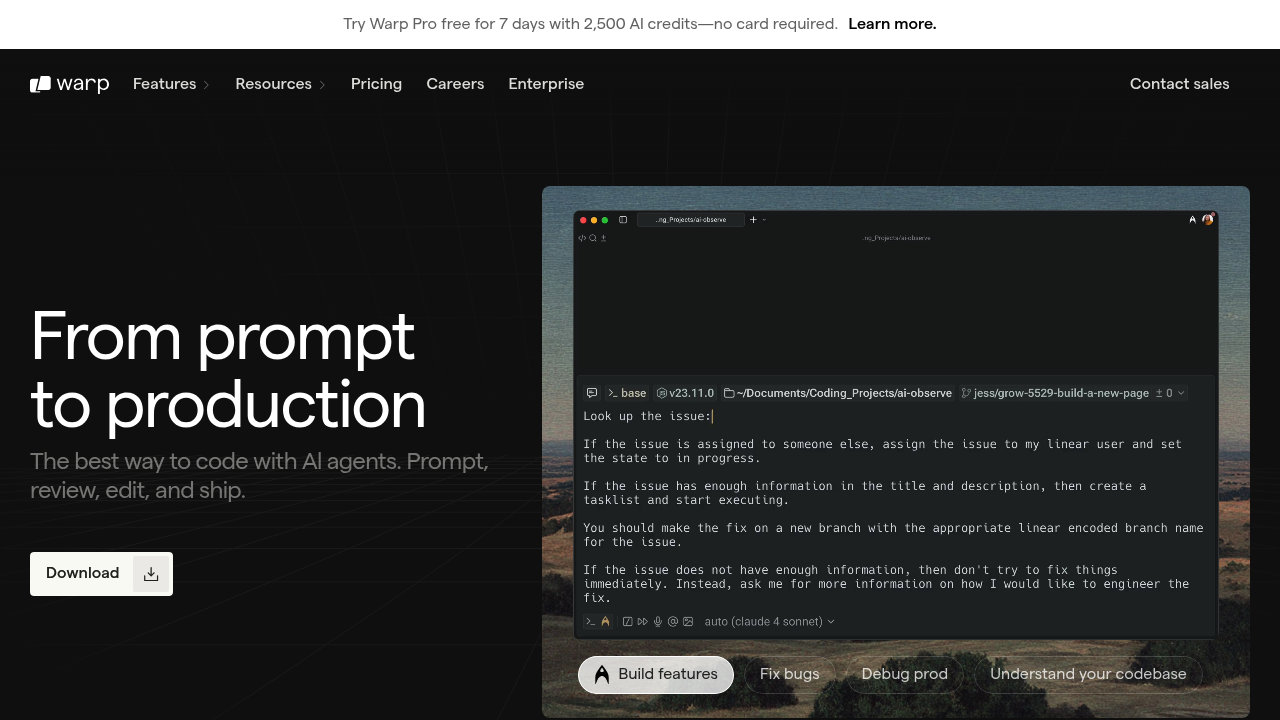
Warp is an AI-integrated terminal emulator that combines natural language prompts with traditional shell commands. Built in Rust with GPU acceleration for native performance, it runs on macOS, Linux, and Windows. Warp AI accepts natural language input and converts it into executable commands using models like Claude Sonnet 4.5, Claude Opus 4.1, and GPT-4o. Solo developers who work extensively in terminal environments may prefer Warp because it organizes commands and outputs into clean blocks rather than scrolling text, and AI suggestions appear as you type, eliminating constant Stack Overflow searches. Warp stands out among Windsurf alternatives as a terminal-first tool rather than an IDE.
Strengths
- Agent Mode enables autonomous task completion with command execution, file editing, and multi-step workflows that require user permission at each stage.
- Warp Drive serves as a shared knowledge store where teams can save workflows, notebooks, prompts, and environment variables that sync automatically.
- Block-based output groups commands and results into atomic units, making navigation and copying outputs significantly easier than traditional terminals.
- Multiple model options include Claude Sonnet 4.5, Claude Opus 4.1, GPT-4o, and GPT-5 with selectable reasoning modes, plus Auto modes that intelligently choose optimal models.
- Data never stored on Warp servers; requests pass directly to OpenAI or Anthropic APIs, and Enterprise users get zero data retention from AI providers.
- Warp achieves 52% success rate on Terminal-Bench tests, over 20% ahead of competing terminal agents.
Weaknesses
- Complex prompts with large context or file attachments consume multiple AI requests unpredictably, making monthly limits harder to estimate than simple per-conversation billing.
- Coding in an IDE while AI assistant lives in terminal creates constant context switching that disrupts workflow.
- Registration required even for free tier to access cloud-based features like Warp AI and team collaboration.
- Current context window limited to 200k tokens for Claude models, restricting analysis of large codebases or extensive logs in single requests.
Best for
Developers who spend significant time in terminal environments running scripts, managing infrastructure, and debugging errors who want AI assistance without leaving the command line.
Pricing plans
- Free — $0/month — 150 AI requests/month for first 2 months (then lower limit), 3 indexed codebases (up to 5,000 files each), unlimited Next Command suggestions, basic Warp Drive features.
- Pro — $15/month ($12/month annual) — 2,500 AI requests/month, 40 indexed codebases (up to 10k files each), pay-as-you-go overages, unlimited shared notebooks/workflows, real-time session sharing.
- Turbo — Unknown — Higher limits than Pro (exact specifications not publicly disclosed).
- Business — Unknown — Supports up to 50 seats, available for immediate upgrade, specific features and pricing require sales contact.
- Enterprise — Custom pricing — SAML-based SSO, SCIM user provisioning, admin panel, zero data retention from AI providers, custom LLM support, advanced security and compliance features.
Tech details
- Type: AI-powered terminal emulator / Agentic Development Environment
- IDEs: Standalone terminal application; integrates with Raycast, Alfred, Docker, and code editors via system-level interactions
- Key features: Agent Mode with autonomous task execution, natural language command translation, block-based I/O, IDE-like text editing with cursor positioning and selections, Warp Drive for team workflows, session sharing, command palette, syntax highlighting, auto-completions, multi-pane support
- Privacy / hosting: Cloud-optional; all offline terminal features work without internet; AI requests pass directly to provider APIs without Warp server storage; Enterprise tier offers zero data retention from AI providers; secret redaction built-in
- Models / context window: Claude Sonnet 4.5, Claude Sonnet 4, Claude Opus 4.1, Claude Opus 4, GPT-4o, GPT-5 (with low/medium/high reasoning modes); approximately 200k token context window
When to choose this over Windsurf
- You execute most development tasks via terminal commands rather than IDE-based editing.
- Your workflow involves infrastructure management, DevOps automation, or script-heavy environments where command-line context matters more than file trees.
- You need AI assistance that understands shell output, error messages, and system state without leaving the terminal interface.
When Windsurf may be a better fit
- You spend most coding time editing files in a visual editor with project navigation, file trees, and inline suggestions.
- Your work centers on application development requiring deep codebase understanding across multiple files simultaneously.
- You need integrated debugging, refactoring, and IDE-level code intelligence rather than terminal-focused workflows.
Conclusion
Warp reimagines the terminal as an agentic development environment where AI agents handle multi-step tasks using natural language instructions. With features like Warp Drive for team collaboration and Agent Mode for autonomous coding, Warp positions itself between traditional terminals and full IDEs. Solo developers who live in the terminal will find Warp transforms command-line productivity, though those needing visual code editing may prefer IDE-based Windsurf alternatives. Cross-platform support (macOS, Linux, Windows) and Rust-based performance make Warp accessible across development environments.
Sources
- Official site: https://www.warp.dev/
- Docs: https://docs.warp.dev/
- Pricing: https://docs.warp.dev/support-and-billing/plans-and-pricing