Codebuff
Contact
Codebuff
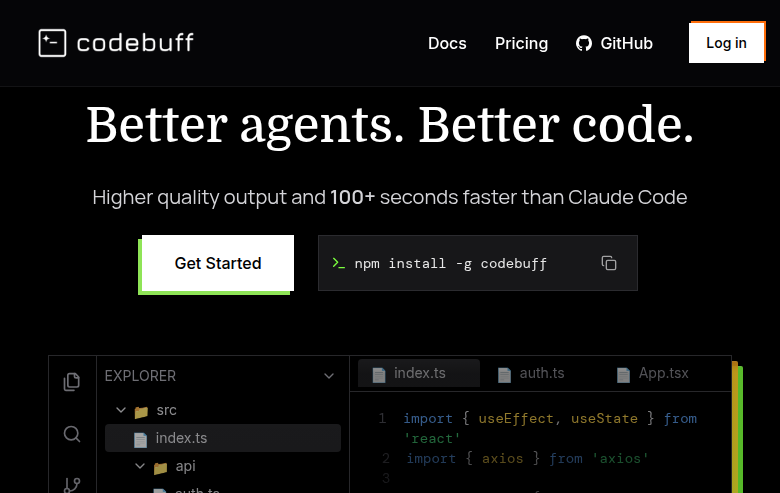
Codebuff is a YC-backed CLI coding agent that runs in your terminal, automatically selects files to read for context, edits code directly, and runs terminal commands — designed as a powerful Windsurf alternative for developers who prefer a no-click workflow.
Codebuff: A Windsurf Alternative for Terminal-First AI Coding
Codebuff is a YC-backed CLI coding agent developed by CodebuffAI (previously known as Manicode). It runs entirely in your terminal, automatically selects the most relevant files in your codebase for context, edits code directly, and executes terminal commands — all without requiring you to switch to a specialized IDE. As a Windsurf alternative, it is best suited for developers who prefer a no-click, editor-agnostic workflow and want powerful AI coding assistance that integrates with any editor or stack via the terminal.
Codebuff vs. Windsurf: Quick Comparison
| Codebuff | Windsurf | |
|---|---|---|
| Type | CLI Coding Agent | AI IDE (standalone) |
| IDEs | Terminal/CLI — works with VS Code, Cursor, Vim, Emacs, Neovim, and any other editor | Standalone / editor-centric workflow |
| Pricing | Starting at $49/month (per YC listing); free credits for new users | Free tier + Pro $20/month (as of March 2026) |
| Models | OpenAI + Anthropic models (server-side managed API) | Cascade + SWE-1.5 (proprietary) |
| Privacy / hosting | Cloud (Codebuff API); no codebase storage per YC listing | Cloud (Windsurf/Cognition) |
| Open source | No (proprietary); community GitHub repo available | No |
Key Strengths
- Automatic File Context Selection: Unlike most AI coding tools that require you to manually @-mention files or pin context, Codebuff automatically indexes your entire codebase in approximately 2 seconds and selects the most relevant files based on your prompt. This eliminates a significant friction point in AI-assisted coding workflows and often results in more relevant, coherent code edits across multiple files simultaneously.
- Terminal-First, No IDE Lock-in: Codebuff runs entirely from your terminal via a simple npm install, making it portable to any development environment. Whether you use VS Code, Cursor, Vim, Emacs, Neovim, or a completely custom setup, Codebuff works alongside it without requiring you to switch tools, install plugins, or configure IDE-specific extensions.
- Runs Shell Commands and Tests Autonomously: Codebuff does not just suggest code edits — it can execute shell commands, run your test suite, and iterate based on the results as part of a single agentic task. This makes it capable of end-to-end task completion where it edits code, runs tests, catches failures, and fixes them in a continuous loop.
- Benchmarked Speed Advantage Over Claude Code: According to Codebuff's own BuffBench evaluation — using 175+ real git-commit reconstruction tasks from open source projects — Codebuff produces higher quality output and is 100+ seconds faster than Claude Code on average. While any proprietary benchmark should be evaluated independently, the methodology (git commit reconstruction, multi-turn agent simulation, 4D scoring: completion, efficiency, code quality, overall) is publicly documented.
Known Limitations
- No Visual IDE Interface or Inline Completions: Codebuff is a pure CLI tool. It has no graphical interface, no inline code completion while you type, and no built-in preview or deploy capabilities. Developers who rely on visual diff views, in-editor chat panels, or real-time autocomplete will need to supplement Codebuff with their own IDE's existing features.
- Higher Pricing Than Windsurf: Codebuff starts at $49/month per the YC listing, which is significantly higher than Windsurf's $20/month Pro tier. For individual developers or small teams on a budget, this price difference may be a deciding factor. Free credits are available for new users, but the ongoing subscription cost is higher.
- No BYOK (Bring Your Own Key) Option: Codebuff uses a managed API and does not appear to offer a bring-your-own-key option as of May 2026. Developers who prefer full control over API costs and model selection by connecting their own OpenAI or Anthropic keys may find this limiting compared to tools that support BYOK workflows.
Best For
Codebuff is ideal for senior developers and engineering teams who prefer working in the terminal and want a powerful AI coding agent that does not force them into a specific IDE. It is particularly well-suited for polyglot teams with diverse editor preferences (VS Code, Vim, Emacs, etc.) who want a single AI coding tool that works consistently across all of them. Developers who frequently tackle multi-file refactoring tasks, legacy codebase improvements, or test-driven development workflows will benefit from Codebuff's autonomous context selection, command execution, and iterative testing capabilities.
Pricing
- Paid Plan: Starting at $49/month per the YC company listing. Free credits are available for new users during onboarding.
Prices are subject to change. Check the official pricing page for current details.
Tech Details
- Type: CLI Coding Agent
- IDEs: Terminal/CLI — portable to any editor (VS Code, Cursor, Vim, Emacs, Neovim, etc.); no native IDE plugin required
- Key features: Automatic file selection for context (no manual @-mentions), direct file editing via terminal, runs shell commands + tests, node/npm-based CLI (npm install -g codebuff), AGENTS.md/CLAUDE.md support, custom agent creation (/init command), managed API with no codebase storage
- Privacy / hosting: Cloud (Codebuff API); no codebase storage according to YC listing
- Models / context window: OpenAI + Anthropic models (specific model names not individually published); context selection is handled automatically server-side
When to Choose Codebuff Over Windsurf
- You want a terminal-first AI coding agent that works with any editor and does not require switching to a new IDE.
- You are tired of manually selecting files for context and want automatic codebase-aware context selection on every prompt.
- Your team has diverse editor preferences (VS Code, Vim, Emacs, Neovim) and you want a single AI tool that works for everyone.
- You frequently run multi-file refactoring tasks and want an agent that edits code, runs tests, and iterates autonomously in a single workflow.
- You want to install your AI coding tool in seconds via npm and get started immediately without configuring an IDE extension.
When Windsurf May Be a Better Fit
- You want a visual AI IDE with inline code completions, in-editor chat, and integrated preview/deploy capabilities.
- You prefer a lower-cost option — Windsurf's Pro tier starts at $20/month, significantly less than Codebuff's $49/month.
- You prefer proprietary AI models like Cascade/SWE-1.5 that are specifically optimized for the software engineering domain.
- You want a tool with a larger community, more tutorials, and a more established ecosystem of users and integrations.
Conclusion
Codebuff is the best Windsurf alternative for developers who want a powerful, terminal-first AI coding agent without any IDE lock-in. Its automatic context selection, shell command execution, and test-iteration capabilities make it uniquely suited for complex multi-file workflows in any editor or stack. For developers who want a visual IDE experience or a lower monthly cost, Windsurf remains the more practical general-purpose choice.
Sources
FAQ
Is Codebuff free?
Codebuff is not free long-term — it starts at $49/month per the YC company listing. However, new users receive free credits to try the tool before committing to a paid plan. Check the official pricing page at codebuff.com/pricing for the most current information on plans and trial options.
Does Codebuff work with VS Code?
Yes — and with Vim, Emacs, Neovim, Cursor, and any other editor. Codebuff runs entirely in your terminal via npm, so it works alongside any editor you already use. There is no dedicated VS Code extension or IDE plugin required. You simply open your terminal, run Codebuff, and it operates on your codebase directly.
How does Codebuff compare to Windsurf?
Codebuff is a CLI coding agent while Windsurf is a standalone AI IDE. Codebuff's advantages are editor independence, automatic context selection, and terminal-native command execution. Windsurf's advantages include a visual IDE interface with inline completions, a lower price ($20/month vs. $49/month), and proprietary models optimized for software engineering. The best choice depends on whether you prefer a terminal-first or IDE-first workflow.
How does Codebuff select which files to read?
Codebuff automatically indexes your entire codebase in approximately 2 seconds and uses its own context selection algorithm to determine which files are most relevant to your prompt. You do not need to manually @-mention files or pin context as you would in tools like Cursor or Windsurf. This automatic selection is one of Codebuff's key differentiating features and is designed to reduce friction in multi-file coding tasks.