gptme
Contact
gptme
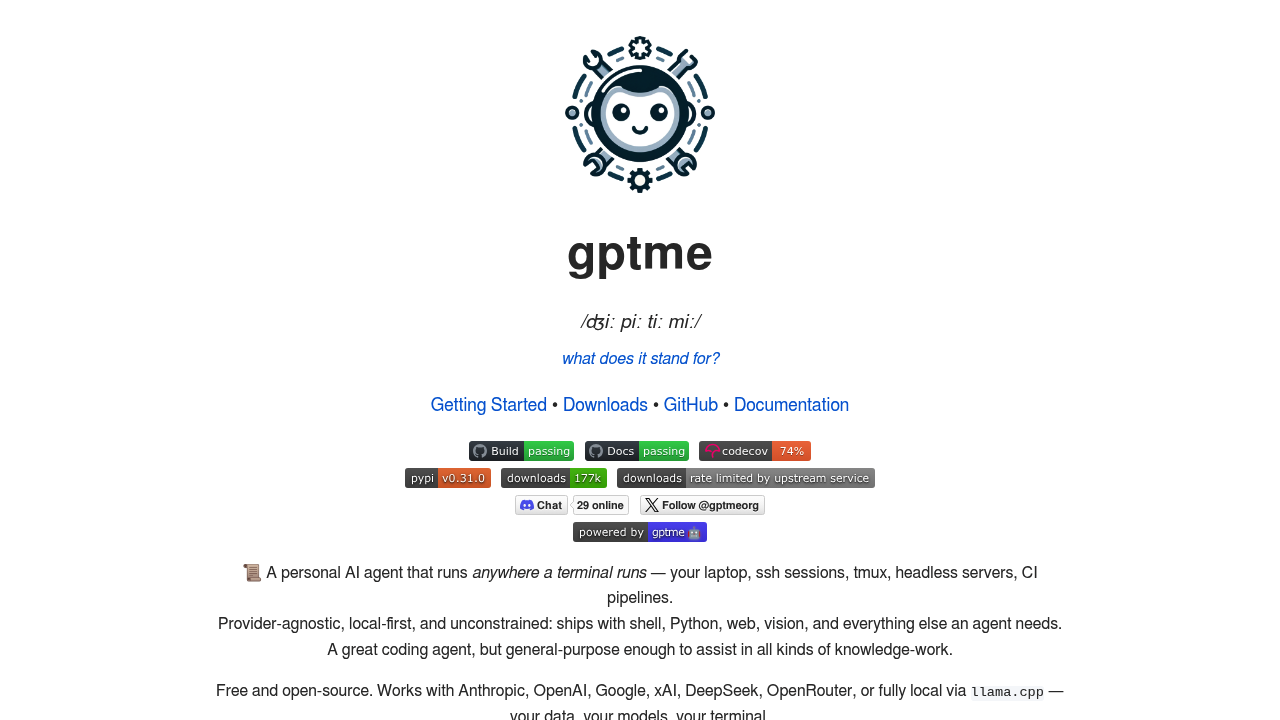
Open-source CLI coding agent (MIT) that runs in any terminal. Provider-agnostic — supports Anthropic, OpenAI, Google, local LLMs via llama.cpp. Shell, Python, web, vision tools included.
gptme: A Windsurf Alternative for Terminal-First CLI Coding Agents
gptme is an open-source, provider-agnostic CLI coding agent developed under the MIT license, designed to run in any terminal environment — from local laptops and SSH sessions to tmux, CI pipelines, and headless servers. As a Windsurf alternative, gptme takes a fundamentally different approach: instead of an integrated IDE experience, it operates entirely inside the developer's existing terminal workflow with full shell, Python, web, and vision tool support.
gptme vs. Windsurf: Quick Comparison
| gptme | Windsurf | |
|---|---|---|
| Type | CLI Agent (terminal-native) | AI IDE |
| IDEs | Any terminal (tmux, SSH, CI, headless) | Standalone / editor-centric workflow |
| Pricing | Free (open source, MIT); gptme.ai cloud coming soon | Free tier + paid from $15/mo |
| Models | Anthropic, OpenAI, Google, xAI, DeepSeek, OpenRouter, llama.cpp (local) | Cascade + multiple model options |
| Privacy / hosting | Local-first; your data, your models | Cloud |
| Open source | Yes (MIT, GitHub: gptme/gptme) | No |
Key Strengths
- True terminal-native execution: gptme runs natively in any environment where a terminal exists — local machines, SSH sessions, tmux, GitHub Actions, headless servers. It does not require a GUI or browser, making it suitable for fully automated pipelines and server environments where traditional AI IDEs cannot operate.
- Provider-agnostic model support: gptme supports Anthropic (Claude), OpenAI (GPT), Google (Gemini), xAI (Grok), DeepSeek, and OpenRouter for 100+ model access. It also supports fully local inference via llama.cpp, meaning developers retain complete data control without sending code to third-party servers.
- Comprehensive built-in toolset: The agent ships with shell execution, Python scripting, web browsing (via Playwright), vision capabilities, a patch/diff tool for incremental edits, MCP (Model Context Protocol) support, auto-commit, and a plugin system (v0.30.0+). This covers most tasks a developer would hand off to an AI coding assistant without needing extra extensions.
- Self-correcting agentic loop: gptme feeds output back to the model, enabling autonomous error detection and self-correction. This is combined with a "lessons" system that provides contextual guidance from project-specific patterns, adapting behavior between interactive and autonomous modes.
Known Limitations
- No visual IDE interface: gptme does not offer a graphical editor, code diff UI, or visual debugging pane. Developers accustomed to Windsurf's editor-centric workflow will need to adapt to a pure terminal paradigm, which has a steeper learning curve for non-CLI users.
- Cloud service not yet launched: The hosted gptme.ai service is listed as "coming soon" as of 2026. Currently, cloud use requires running the agent on a self-managed server or CI environment, which demands more setup than a managed SaaS alternative.
- No built-in team collaboration features: gptme is primarily a single-developer tool. It lacks built-in real-time collaboration, shared sessions, or team-level project management found in some commercial AI IDE alternatives.
Best For
gptme is best suited for developers who live in the terminal and want an autonomous coding agent that integrates with their existing shell workflow without switching to a new editor. It is particularly well-matched to backend engineers, DevOps practitioners, data engineers running pipelines on headless servers, and open-source contributors who want full model and data control. Teams using local or self-hosted LLMs (llama.cpp, Ollama) will find gptme the most practical Windsurf alternative for air-gapped or privacy-sensitive environments.
Pricing
- Free (open source): gptme is fully free to install via
pip install gptmeunder the MIT license. There are no seat limits, usage quotas, or licensing fees. - Model costs: Inference costs are determined by the chosen provider (Anthropic, OpenAI, Google, etc.). gptme includes cost tracking so users can monitor spend per session.
- gptme.ai (coming soon): A managed cloud service is announced but not yet launched. Pricing for that tier has not been disclosed.
For current pricing details, see the official gptme website.
Tech Details
- Type: Open-source CLI coding agent
- Platforms: Linux, macOS, Windows (WSL), any environment with a terminal; pip-installable
- Key features: Shell tool, Python tool, browser/Playwright tool, vision, patch/diff editing, MCP support, auto-commit, plugin system, REST API, web UI (chat.gptme.org), content-addressable storage, background jobs
- Privacy / hosting: Local-first; data stays on your machine unless you choose a cloud provider API
- Models / context: Anthropic Claude, OpenAI GPT, Google Gemini, xAI Grok, DeepSeek, OpenRouter (100+ models), llama.cpp (local). Built-in cost tracking and token awareness.
- License: MIT
- Latest version: v0.31.0 (December 2025)
When to Choose This Over Windsurf
- You work primarily in a terminal or SSH environment and don't want to switch to a standalone GUI editor.
- You need a coding agent that runs inside CI/CD pipelines, headless servers, or automated workflows without human interaction.
- You want full control over which LLM provider or local model powers your agent, including fully offline/air-gapped setups with llama.cpp.
- You are building or managing autonomous agent workflows (multi-agent, scheduled runs, GitHub monitoring) and need a scriptable, API-accessible agent runtime.
- You prefer an open-source MIT-licensed tool with no vendor lock-in or subscription fees for the core agent.
When Windsurf May Be a Better Fit
- You prefer a polished graphical IDE with inline AI suggestions, visual diff views, and a familiar editor interface rather than a terminal-only experience.
- You want a managed, cloud-hosted AI coding assistant with no local setup, immediate onboarding, and built-in team collaboration features out of the box.
Conclusion
gptme is a mature, actively developed open-source CLI agent that has been in production since early 2023, positioning it as one of the original alternatives to commercial AI IDEs like Windsurf. Its strengths lie in terminal-native execution, broad LLM provider support, and a rich built-in toolset that covers shell, Python, web, and vision tasks. For developers who prioritize local-first operation, scriptability, and zero licensing costs, gptme is a strong and proven Windsurf alternative.
Sources
FAQ
Is gptme free to use?
Yes. gptme is fully open-source under the MIT license and free to install via pip. You only pay for the LLM API calls to your chosen provider (Anthropic, OpenAI, etc.) or use it completely free with a local model via llama.cpp.
Does gptme work without an internet connection?
Yes. When configured with a local inference backend like llama.cpp or Ollama, gptme can operate fully offline. The core agent and all tools run locally; only provider API calls require connectivity.
How does gptme compare to Claude Code or GitHub Copilot CLI?
gptme is provider-agnostic and is not tied to a single model or cloud service, whereas Claude Code requires Anthropic's API and GitHub Copilot requires a Microsoft/GitHub subscription. gptme also offers a broader built-in toolset including shell, Python, browser automation, and vision in a single open-source package.
What version of gptme is current?
As of December 2025, gptme v0.31.0 is the latest stable release. It added background jobs, form tool support, cost tracking, and content-addressable storage. The project follows an active release cadence with major versions every 1-2 months.