Pi Coding Agent
Contact
Pi Coding Agent
Open-source terminal coding agent built around extensibility, packages, skills, prompt templates, multiple runtime modes, and a user-controlled workflow.
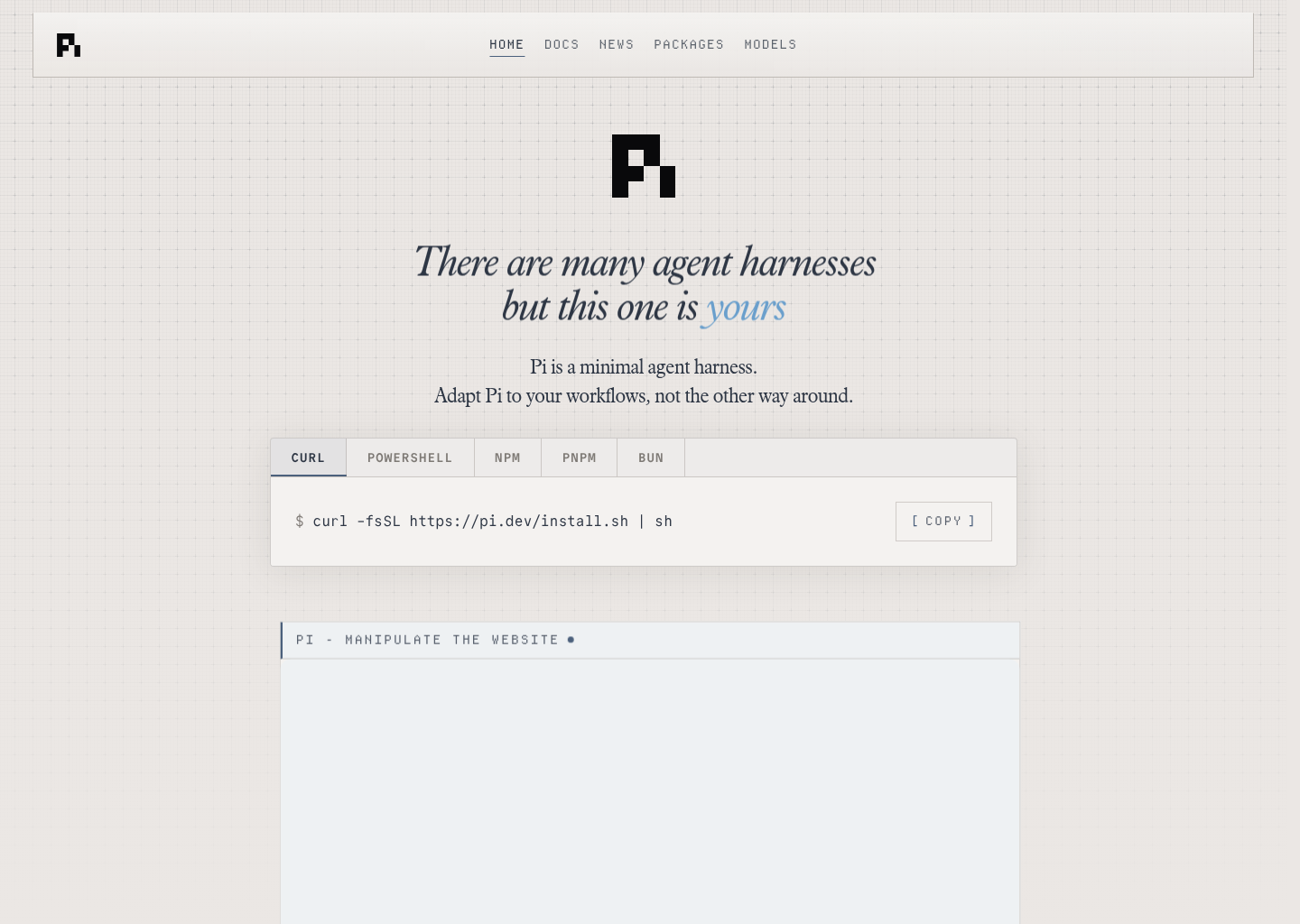
Pi Coding Agent: A Windsurf alternative for terminal-native developers who want an open-source coding harness they can extend deeply with packages, skills, templates, and custom model routing
Pi Coding Agent is a CLI agent developed by Earendil Inc. and contributors. Open-source terminal coding agent built around extensibility, packages, skills, prompt templates, multiple runtime modes, and a user-controlled workflow. As a Windsurf alternative, it fits terminal-native developers who want an open-source coding harness they can extend deeply with packages, skills, templates, and custom model routing.
Pi Coding Agent vs. Windsurf: Quick Comparison
| Pi Coding Agent | Windsurf | |
|---|---|---|
| Type | CLI agent | AI IDE |
| IDEs | Terminal-native CLI with print, JSON, RPC, and SDK modes instead of a classic IDE-first shell | Standalone / editor-centric workflow |
| Pricing | The official site presents Pi as MIT-licensed open source with no subscription requirement for the base installation. | Not publicly documented in this listing |
| Models | The homepage and docs emphasize provider switching and extensibility, but they do not expose one official static public model matrix or context-window table | Not publicly documented in this listing |
| Privacy / hosting | Local CLI by default with user-controlled packages and model routing; actual network and cost behavior depend on the providers the user configures | Not publicly documented in this listing |
| Open source | Yes | No |
Key Strengths
- Extensibility is the core value proposition: Pi does not hide its philosophy. The homepage and docs lean heavily on packages, skills, templates, extensions, and dynamic context injection, which makes it unusually attractive for advanced users who want to shape the coding harness instead of accepting one vendor-defined workflow.
- Strong fit for shell-native engineering habits: Pi is fundamentally terminal-first and honest about that identity. For developers who already work through shells, scripts, structured prompts, and automation-friendly output modes, that focus can be more practical than a prettier but more constrained AI environment.
- Open-source control lowers lock-in risk: The MIT license and public GitHub workflow are not cosmetic details. They make Pi more credible for teams that want to inspect behavior, build their own packages, integrate custom rules, or avoid having their coding workflow depend entirely on one closed product roadmap.
Known Limitations
- Out-of-the-box comfort is intentionally lighter: Pi explicitly avoids baking in some primitives that other products ship by default. That can be a philosophical advantage for expert users, but it also means less prepackaged convenience for teams that want everything ready on day one.
- The product expects technical ownership: Pi is strongest for developers who enjoy customizing tools. Buyers who want a polished default path with minimal decisions may see the same flexibility as setup overhead rather than leverage.
- No single bundled pricing story: Because the product is open and provider-flexible, total cost discipline depends on how the team chooses and governs models. That is powerful, but it also shifts more responsibility to the user.
Best For
Pi Coding Agent is best for terminal-native developers, toolmakers, and advanced AI-coding users who want direct control over how the agent behaves. It is especially compelling when the buyer values extensibility, composability, and open-source ownership more than a polished all-in-one product surface.
It is a weaker fit for teams that want a low-decision, visually polished experience from the first hour. Windsurf will usually feel more immediately approachable for those buyers because the workflow is more opinionated and productized.
Pricing
- Core product: The official site presents Pi as MIT-licensed open source with no subscription requirement for the base installation.
- Packages and extensions: The official workflow is package-driven, so extra capability is added through user-selected packages, extensions, and templates rather than one bundled paid plan.
- Model costs: Runtime cost depends on the model providers the user wires in, because Pi is designed to let developers control their own routing.
Prices are subject to change. Check the official pricing page for current details.
Tech Details
- Type: CLI agent
- IDEs: Terminal-native CLI with print, JSON, RPC, and SDK modes instead of a classic IDE-first shell
- Key features: terminal coding harness, skills and AGENTS.md support, extensions and packages, prompt templates, JSON and RPC modes, SDK mode, shareable session trees, model-provider flexibility
- Privacy / hosting: Local CLI by default with user-controlled packages and model routing; actual network and cost behavior depend on the providers the user configures
- Models / context window: The homepage and docs emphasize provider switching and extensibility, but they do not expose one official static public model matrix or context-window table
Workflow Fit
Pi fits teams and individuals who are comfortable assembling their own coding environment. The official workflow encourages custom packages, prompt templates, and extensions instead of locking users into a fixed operational shape.
That makes Pi feel closer to an extensible harness than to a finished IDE. For expert users, that is exactly the point. For teams that want fewer choices and faster standardization, Windsurf may still be the more practical answer.
When to Choose This Over Windsurf
- Choose Pi when you want an open-source terminal agent you can customize deeply with packages, skills, and provider routing.
- Choose Pi when minimizing vendor lock-in matters more than getting the most polished default experience on day one.
- Choose Pi when your workflow already lives in the shell and you want JSON, RPC, or SDK modes for automation beyond an IDE loop.
When Windsurf May Be a Better Fit
- Windsurf is a better fit when the team wants a more polished AI IDE experience with less setup ownership.
- Windsurf is a better fit when developers prefer an editor-centered product over a configurable terminal harness.
- Windsurf is a better fit when a standardized team workflow matters more than having maximum extensibility and open-source control.
Evaluation Questions Before You Choose
Ask whether the team wants to own the harness or rent a more opinionated workflow. Pi has the stronger case in the first scenario because the product is built around control; Windsurf has the stronger case in the second because it reduces design decisions.
Also ask whether shell-native automation is central to the workflow or incidental. If it is central, Pi becomes much more compelling as a Windsurf alternative.
Implementation and Adoption Notes
The biggest implementation question is not whether Pi Coding Agent can produce an impressive first demo. It is whether the team is comfortable with the operational center of gravity that the product creates. Some tools want the work to stay close to a terminal harness. Some want it to live inside an IDE. Others sit somewhere in between. Teams that ignore that workflow reality often choose the wrong tool for the right-looking feature list.
Adoption works best when the surrounding engineering habits already match the product's shape. A terminal-heavy team will judge Pi Coding Agent differently from a JetBrains-heavy team or a product-building team that values visual context more than shell fluency. That is why the honest buying decision is less about hype and more about where developers actually spend their day.
Cost and Governance
Cost and governance deserve a direct evaluation because AI coding tools do not only differ in raw output quality. They differ in how pricing influences experimentation, whether the workflow is easy to standardize, and how much ownership the team has over prompts, packages, provider choice, or agent behavior. Those differences shape long-term satisfaction more than short benchmark wins.
With Pi Coding Agent, the right question is whether its cost model and control surface match the team's maturity. A team that wants deep ownership may welcome flexibility. A team that wants a simpler managed experience may see the same flexibility as extra operational burden. Windsurf often wins the second case even when an alternative looks stronger on paper.
Migration Considerations
Switching from Windsurf to Pi Coding Agent is not only a feature comparison. It is a workflow decision about whether the team wants to move closer to a terminal harness, a different IDE surface, or a different balance of openness versus convenience. That change can be productive when it lines up with the way the team already works. It becomes wasteful when it asks people to abandon habits that were not actually the problem.
A practical evaluation path is to test one repeated job instead of one flashy prompt. Try a feature branch, bug fix, review-heavy task, or multi-file refactor and watch where the friction appears. If Pi Coding Agent reduces real weekly friction there, it is a serious Windsurf alternative. If not, the headline differences probably matter less than they first seemed.
Conclusion
Pi Coding Agent is a serious Windsurf alternative for developers who want an open-source terminal coding harness they can truly make their own. Its real differentiator is control, not cosmetics.
Pick Pi when extensibility, provider freedom, and shell-native workflows matter more than product polish. Stay with Windsurf when the team prefers a more packaged AI IDE with less configuration and more immediate familiarity.
Sources
- Official Site
- Official Docs
- Official GitHub Package
- DeepakNess setup guide
- DEV review
- Agentic Engineer review
FAQ
Is Pi Coding Agent free?
Yes. The official site presents Pi as MIT-licensed open source, so the core installation does not require a subscription fee.
Does Pi work like an IDE?
Not really. Pi is terminal-first and exposes CLI, JSON, RPC, and SDK modes rather than centering the experience on a GUI IDE shell.
How is Pi different from Windsurf?
Pi is an extensible terminal harness you can shape deeply, while Windsurf is a more packaged AI IDE workflow.
Who should skip Pi?
Teams that want a lower-setup, more polished default product experience may prefer Windsurf instead.